{ "@context": "https://schema.org", "@type": "Organization", "name": "Guidevera", "url": "https://guidevera.adsumus.biz/", "logo": "https://guidevera.adsumus.biz/file/1773849642/501/Guidevera_Logo.webp" }
Features

Everything in one place.
Nothing you don't need.

Guidevera covers the full lifecycle of internal documentation — from writing to approval to publication. Here is what it can do.

Content Creation

Write, format and publish in your browser.

The Summernote WYSIWYG editor gives you everything you need for rich documentation — without leaving the page.

  • Rich text editor with tables, images, video embeds and code blocks
  • File browser inside the editor — insert links, images and videos from your media library
  • Smart link autocomplete — search for internal pages while typing a link
  • HTML source view for advanced formatting
  • Import Markdown or HTML files as new pages
  • Export pages as PDF or Markdown
  • Auto-save in the background — no data lost on browser crash
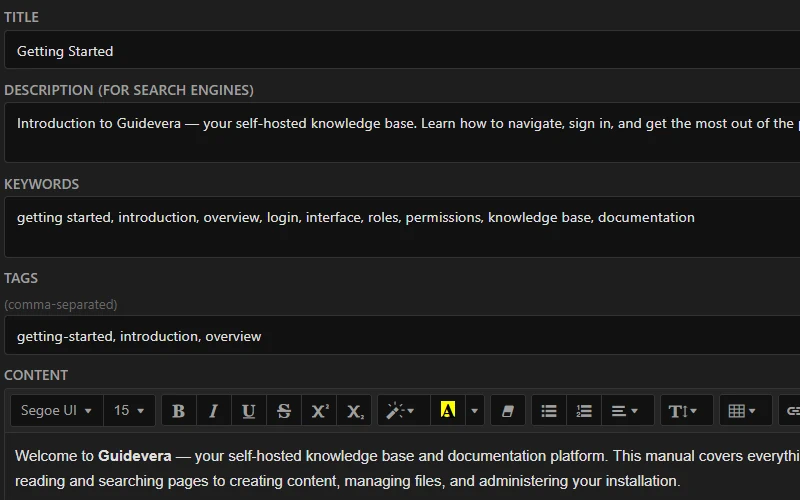
Editor view
Draft
Work in progress
In Review
Awaiting approval
Published
Live & visible
Archived
Kept for reference
Review decisions Approve — publishes and activates the page Request changes — page stays in review Reject — returns to Draft (comment required)
Review & Workflow

Controlled publishing with a 4-stage workflow.

Nothing goes live until someone approves it. Assign specific reviewers, track decisions, and keep a full audit trail.

  • Assign named reviewers to pages
  • Three review decisions: approve, request changes, reject
  • Editors auto-submit for review on save
  • Review queue in the dashboard for Contributors and Admins
  • Full review history per page
  • Workflow is optional — can be disabled entirely
Revision History

Every save is a snapshot. Nothing is ever lost.

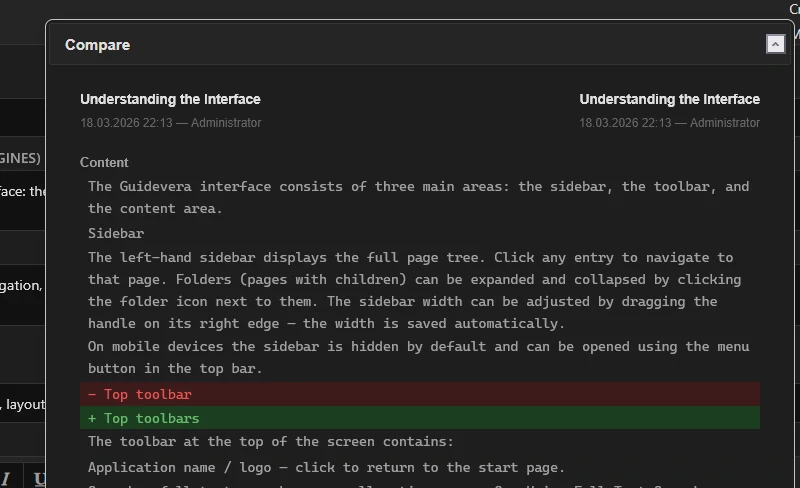
Guidevera creates a revision on every save. Compare any two versions and restore with one click — the current content is backed up automatically before restoring.

  • Automatic revision on every save
  • Up to 50 revisions shown per page
  • One-click restore with auto-backup of current content
  • Optional revision notes to describe what changed
  • Access controlled by role and workflow setting
  • Background auto-save protects against browser crashes
Revision history panel
Roles & Visibility

Four roles. Clear boundaries. No surprises.

Every user has a role. Every page has a status. Every file has visibility flags. Nothing is visible to anyone it shouldn't be.

  • Guest — read and search active pages, no account needed
  • Editor — write and edit content, upload files
  • Contributor — create, delete, reorder pages, manage files
  • Admin — user management, trash purge, full access
  • Per-file visibility: independently set for each role
  • Active / inactive page status independent of workflow state
Permission Guest Editor Contributor Admin
Read & search pages
Edit & save pages
Create & delete pages
Upload files
Delete files / manage folders
Restore from trash
User management
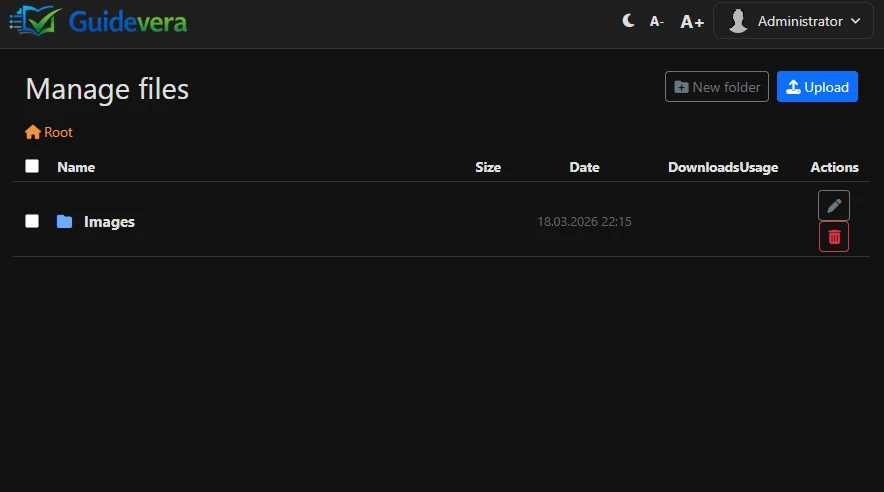
File manager
File Management

Move files freely. Links never break.

Files are referenced by ID, not by path. Rename or move a file and every link in every page still works.

  • ID-based download links — /downloads/{id}/filename
  • Nested folder structure with drag & drop
  • Per-file display mode: inline or forced download
  • Per-file visibility for each role level
  • Usage tracking — see which pages reference each file
  • Download counter per file
  • Media library overview with unused file detection
  • HTTP range request support for video seeking
Search & Navigation

Find anything — instantly.

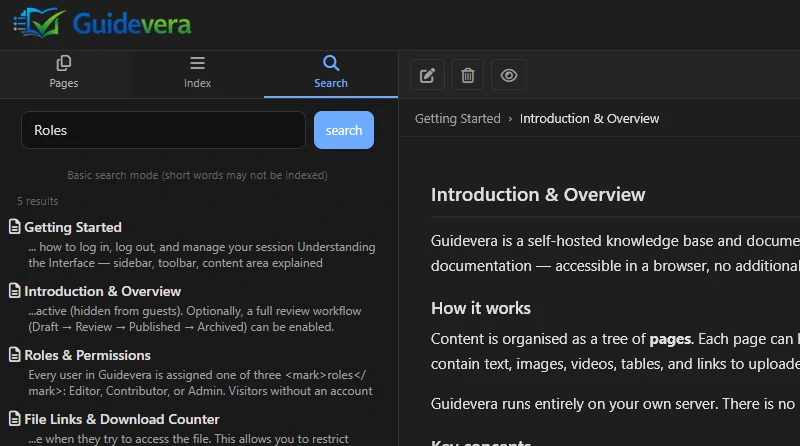
Full-text search across all pages, keyword index, tags and related pages work together to surface the right content fast.

  • MySQL FULLTEXT search with Boolean mode and highlighting
  • Keyword index — separate synonyms and aliases per page
  • Tags with related pages suggestions
  • Filter by status, date and workflow state
  • Tree navigation with chapter numbering and drag & drop reorder
  • Breadcrumbs and previous / next page navigation
  • Failed search terms tracked on the dashboard
Search results
Collaboration

Keep conversations close to the content.

Comments, inline notes, subscriptions and acknowledgements — all connected directly to the pages they refer to.

  • Internal page comments with @mention notifications
  • Inline paragraph-level comments anchored to text selections
  • Page subscriptions — get notified when a page changes
  • Thumbs up / down feedback with optional comments and moderation
  • Read acknowledgements for compliance pages — locale-aware
  • Acknowledgement validity tracking — flags outdated confirmations after edits
Administration & Quality

Stay on top of content quality.

The dashboard gives Admins a complete picture of content health — without running a separate analytics tool.

  • Dashboard with full page overview table
  • Quality report: missing descriptions, keywords, tags, stale pages
  • Content analytics: top viewed, least viewed, bad feedback, update frequency
  • Audit log for all actions with IP and timestamp
  • Webhooks for external integrations (async, SSRF-protected)
  • Scheduled publishing and automatic expiry via cron
  • Multilingual content translations with stale-tracking
  • 40+ configuration options in a single config file