Open Source
Documentation that
stays under control
Guidevera helps teams create, review and publish internal knowledge with version history, approval workflows and clear visibility rules.
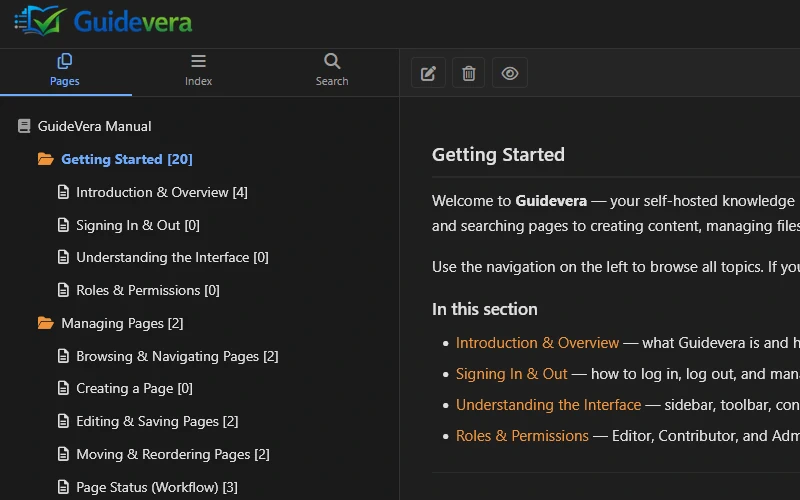
Guidevera helps teams create, review and publish internal knowledge with version history, approval workflows and clear visibility rules.
Guidevera covers the full lifecycle — from writing to approval to publication — without needing a stack of third-party tools.
Rich text editing with Summernote — tables, images, videos, internal links. Everything stays in-browser, no external services.
Draft → Review → Published → Archived. Assign reviewers, request changes, approve or reject — with a full decision history.
Every save creates a revision. Compare versions and restore any previous state in one click. Auto-backup before restore.
Four role levels — Guest, Editor, Contributor, Admin. Per-file visibility flags. Pages can be active or inactive independently of workflow state.
ID-based file links that never break when you rename or move files. Folder nesting, download counters, per-role access controls.
MySQL full-text search with keyword highlighting, keyword index, tags, related pages, and chapter-numbered tree navigation.
Guidevera fits anywhere documentation needs structure, approval and version control.
Explore use casesCentral place for onboarding docs, process descriptions and team knowledge. Hierarchical structure keeps things findable as the team grows.
Standard operating procedures that need version history and approval before publishing. Revision tracking shows what changed and when.
Read acknowledgements confirm staff have read updated policies. Locale-aware tracking works across multilingual teams.
Customer-facing or internal support docs that guests can read without an account, while editors manage and update content behind the scenes.
Simple wikis are fast to start but collapse under review requirements and compliance needs. Guidevera gives you the structure without the complexity.
Run Guidevera on your own server. Your data stays where you put it. The code is on GitHub — read it, fork it, contribute to it.
Read the installation guide in the Help Center or browse the source code on GitHub.